01
Around 2MB
A compact app footprint with quick startup and less device burden.
 GPSRR 人人定位
 Lightweight tracking · Shared location · Long-term history
A lighter way to share location and keep route memories
See trusted people in real time, review route history for up to one year, monitor phone status, use geofence alerts, switch HD maps, and keep background tracking battery-conscious.

Use one QR code for Android, iOS, and web. The download page detects your device.
GPSRR
GPSRR is designed around clarity, history, and low battery impact for everyday care and outdoor records.
A compact app footprint with quick startup and less device burden.

Background tracking is designed to reduce power use while still.

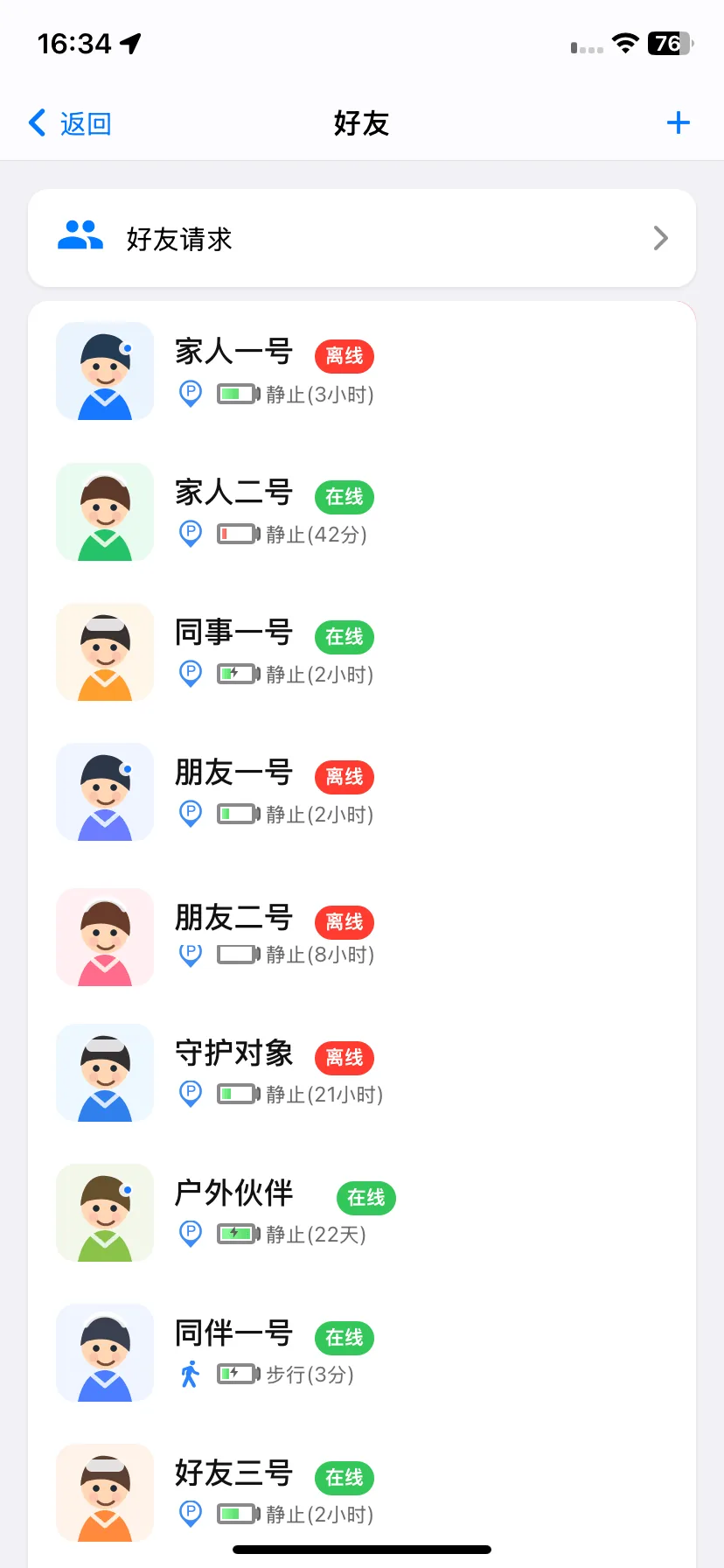
Add trusted people, use remarks and avatars, and see online status.

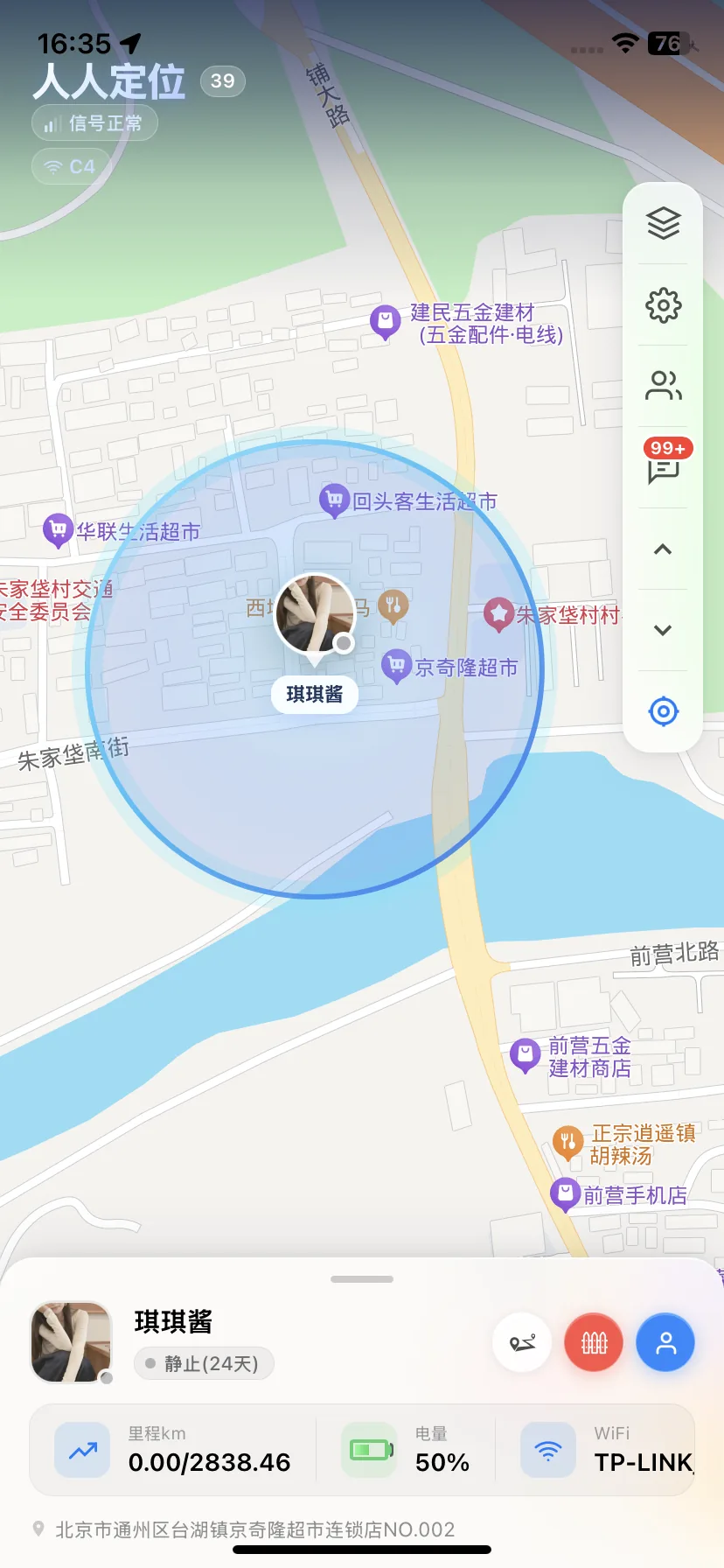
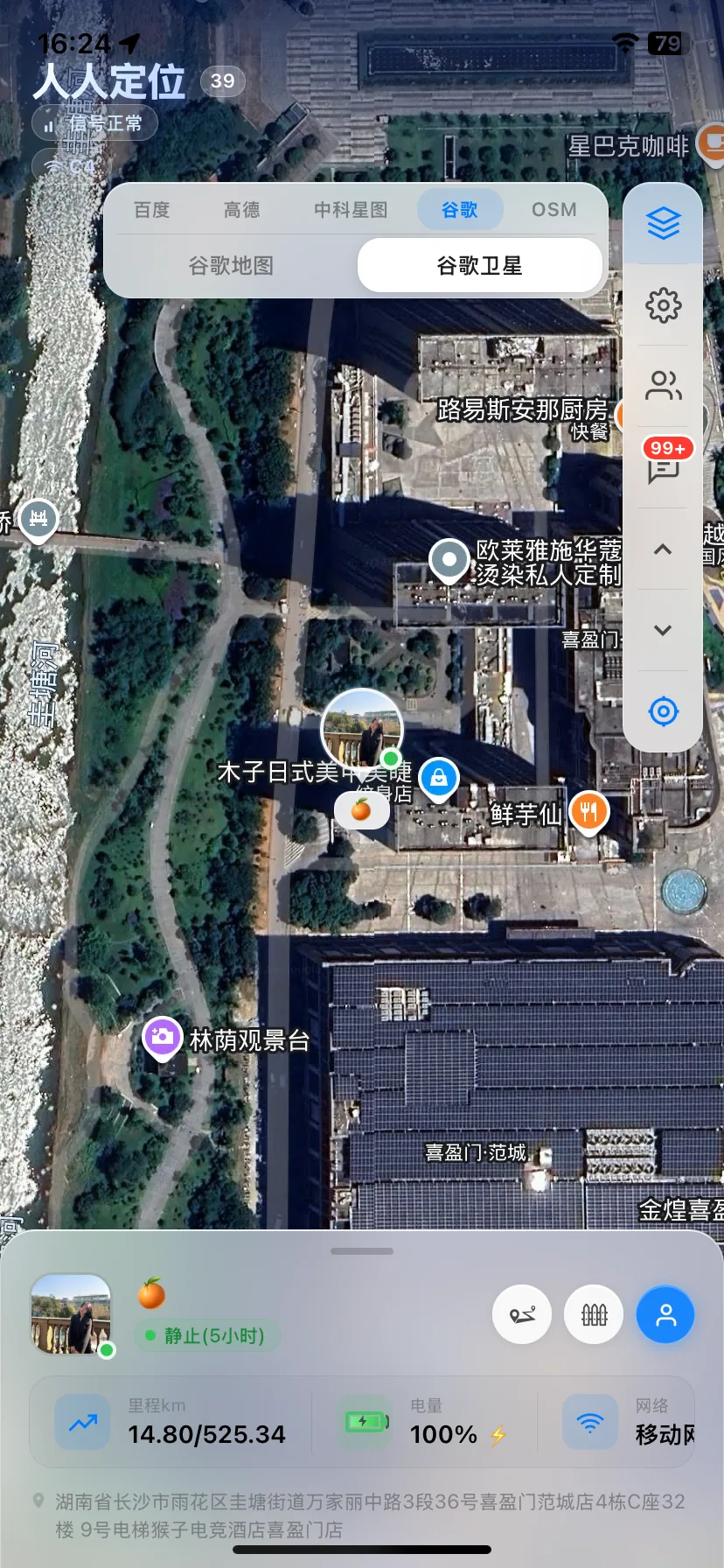
View location, speed, still time, moving time, and daily mileage.
Check battery, charging status, satellite signal, altitude, and WiFi name.

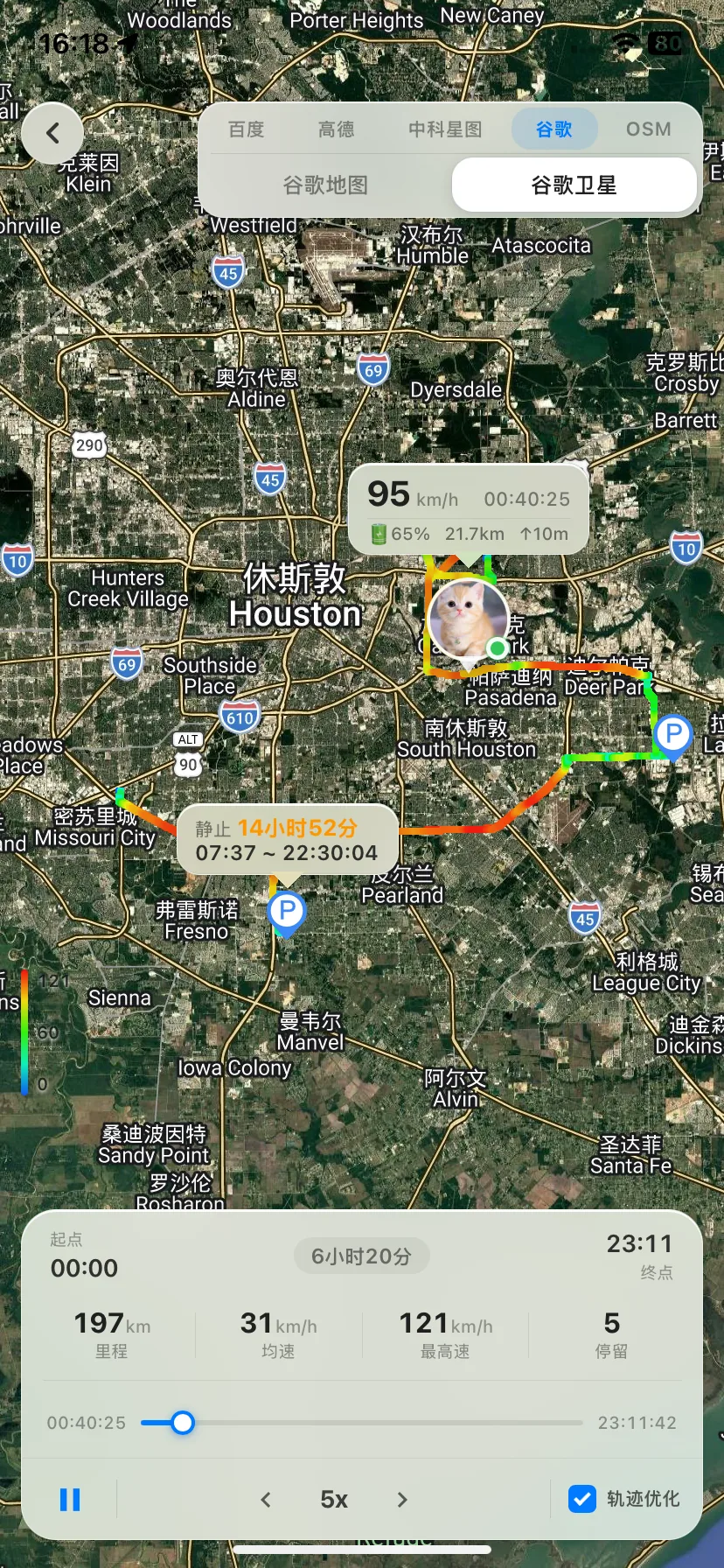
Replay long-term route history and download routes locally.

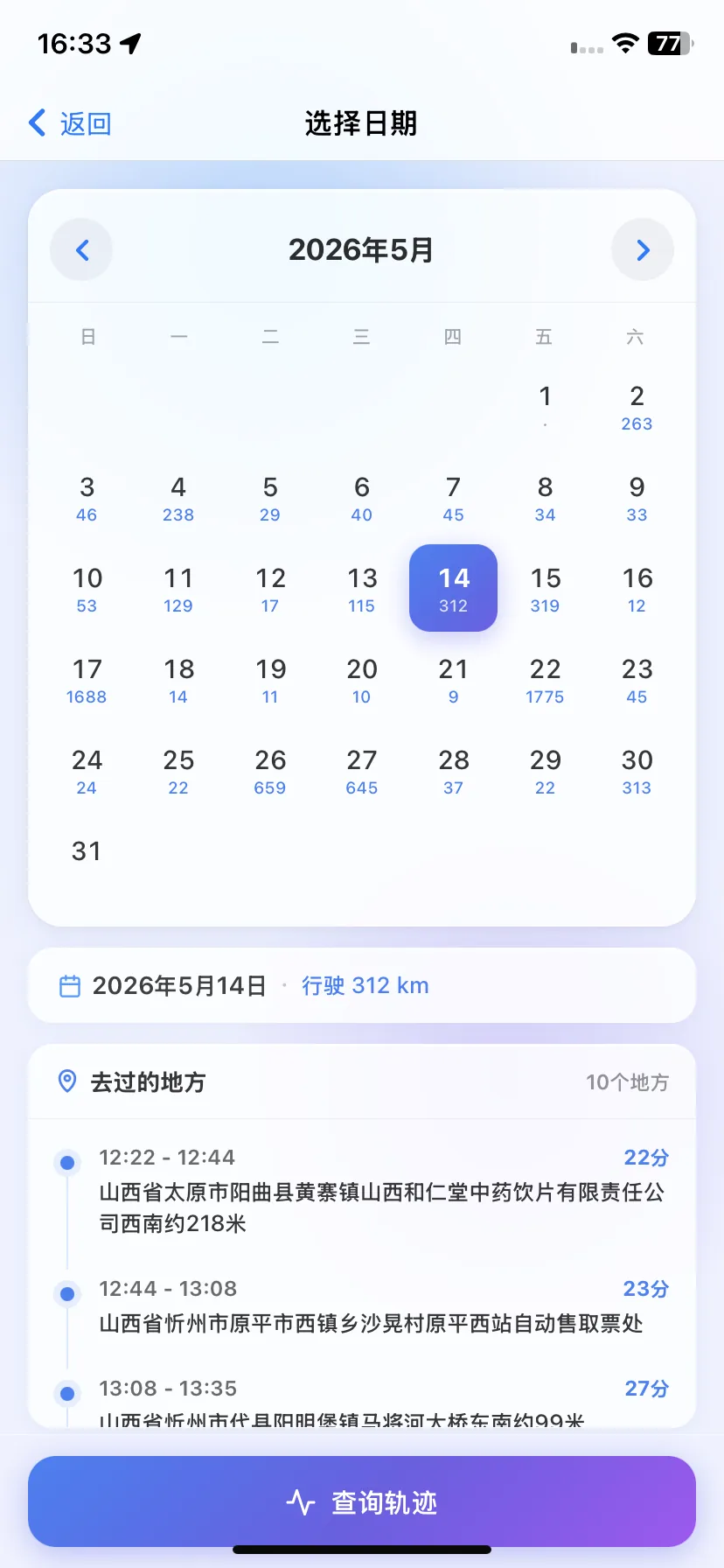
Find daily mileage from a calendar and jump to a specific day.

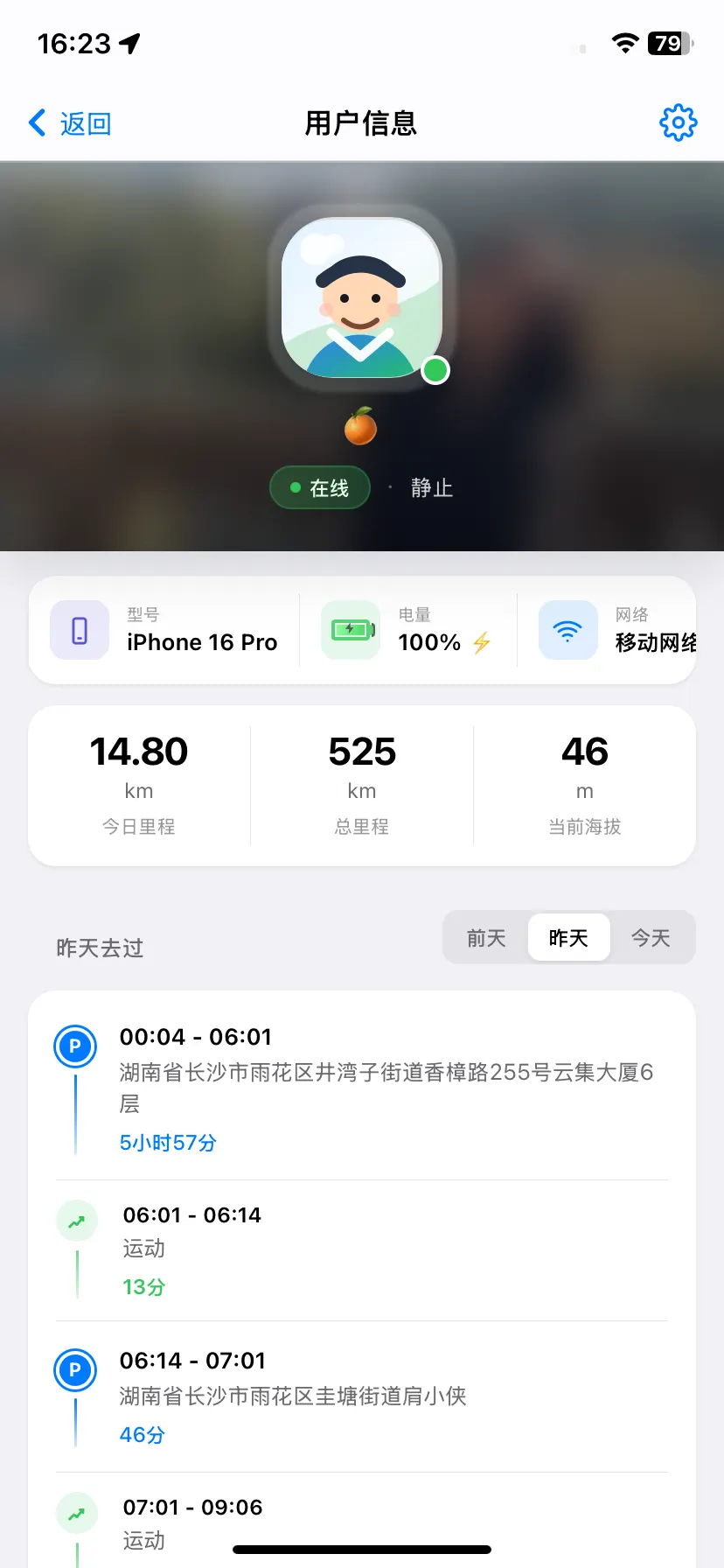
See daily stop locations and stop duration in a clear route report.
Set map zones and receive alerts when someone enters or leaves.

Switch between street and satellite maps for cities and remote areas.
人人定位
Important location, route, and device details stay visible without clutter.
Map, trusted people, and phone status in one view.
Scrub the timeline while speed, mileage, and stops update.
Review mileage by day and quickly return to a trip.
View device model, battery, network, altitude, mileage, stops, and movement records.
Create zones on the map and track enter or leave events.
See shared people, online status, battery state, and movement status in one list.
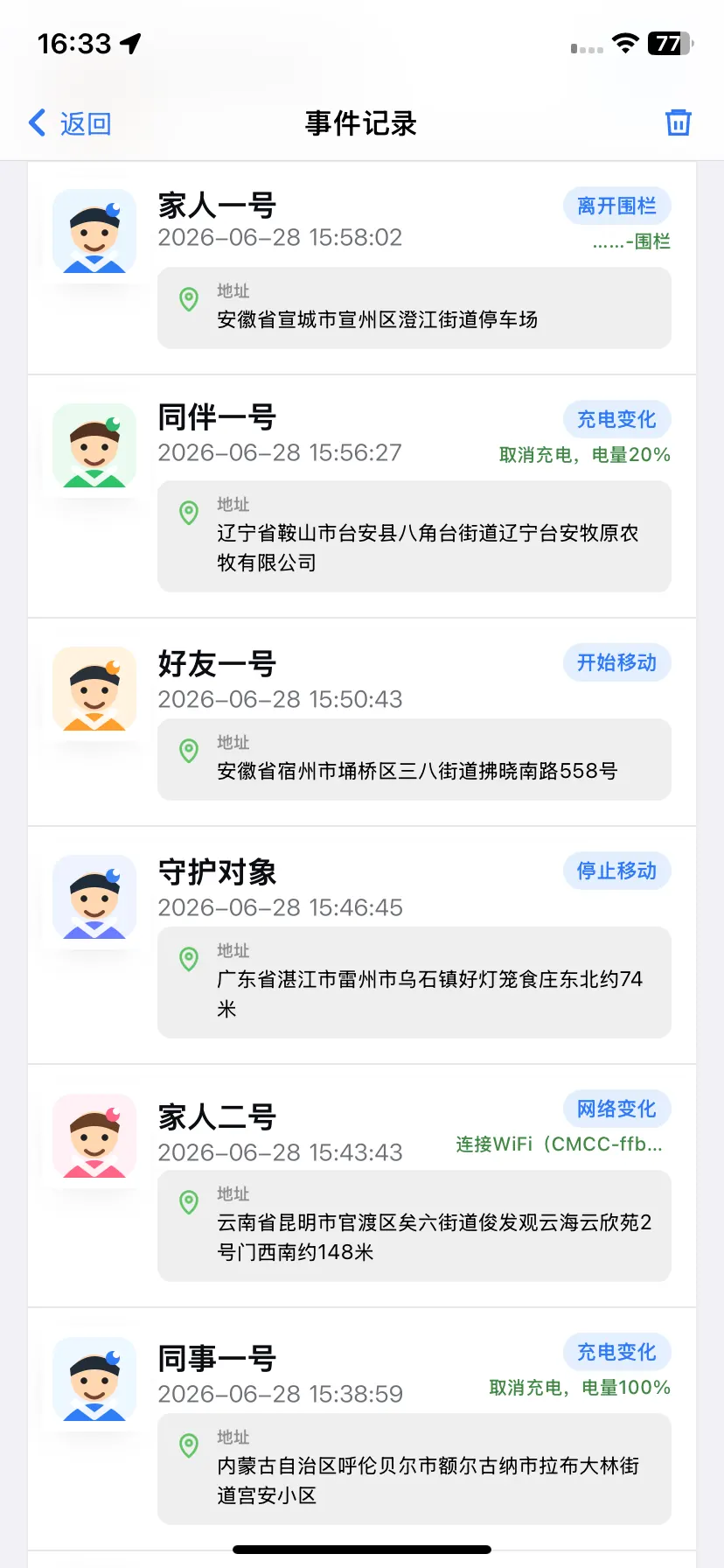
Review geofence, charging, network, and movement changes in a clear activity feed.
Use Cases
Useful for family care, trusted relationships, outdoor memories, and field team coordination.
Share location with partners, parents, children, or elders for peace of mind.
Know when trusted people arrive safely, with remarks and avatars.
Keep hiking, cycling, running, and travel routes as lasting memories.
Make trips visible for field staff, fleets, attendance, and team coordination.
GPSRR combines real-time location sharing, route history playback, geofence alerts, battery and network status, daily mileage, stop statistics, and HD map switching. With permission from trusted people or team members, users can stay aware of location changes, review trips, and preserve routes from hiking, cycling, running, travel, and field work.
FAQ
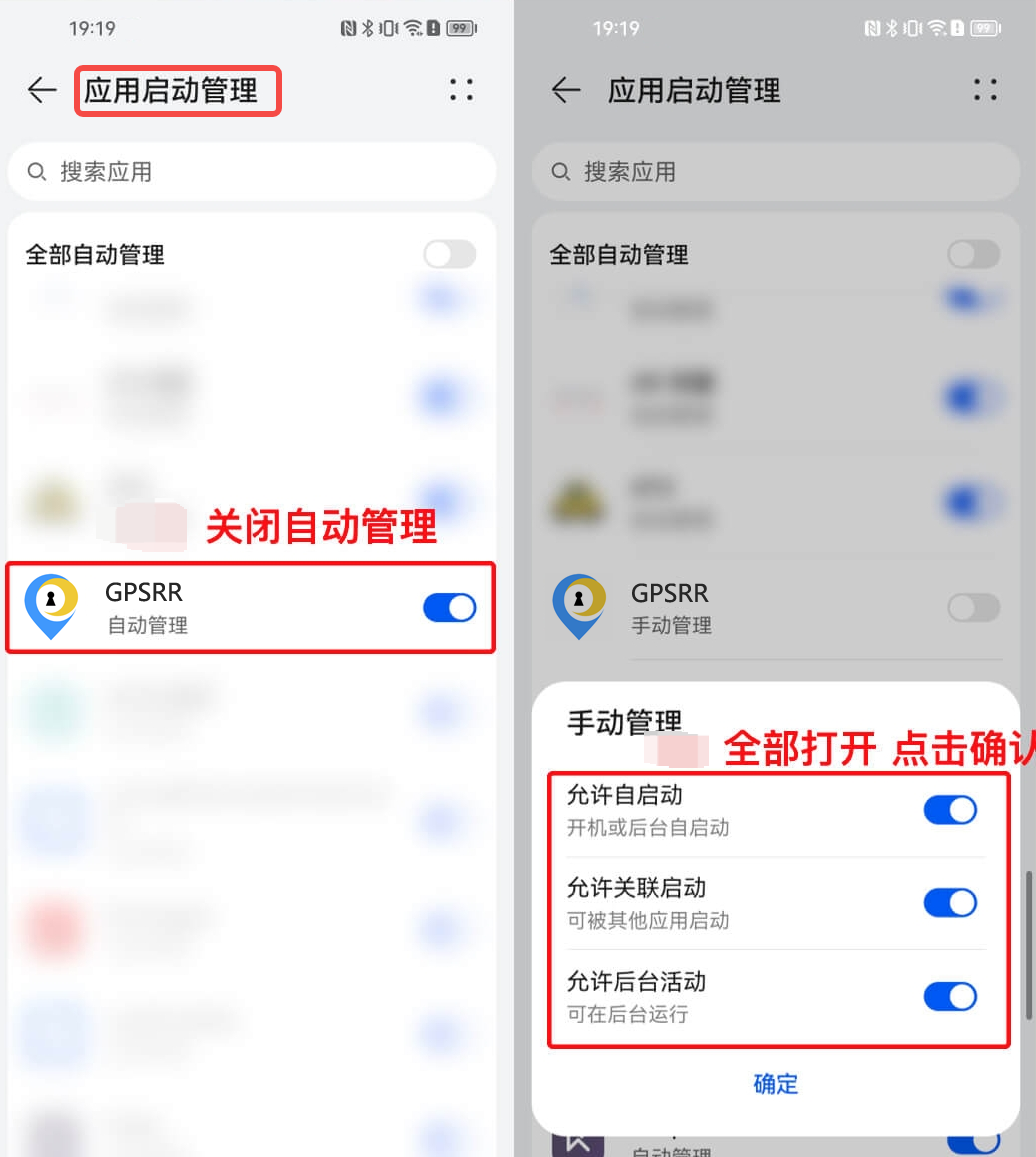
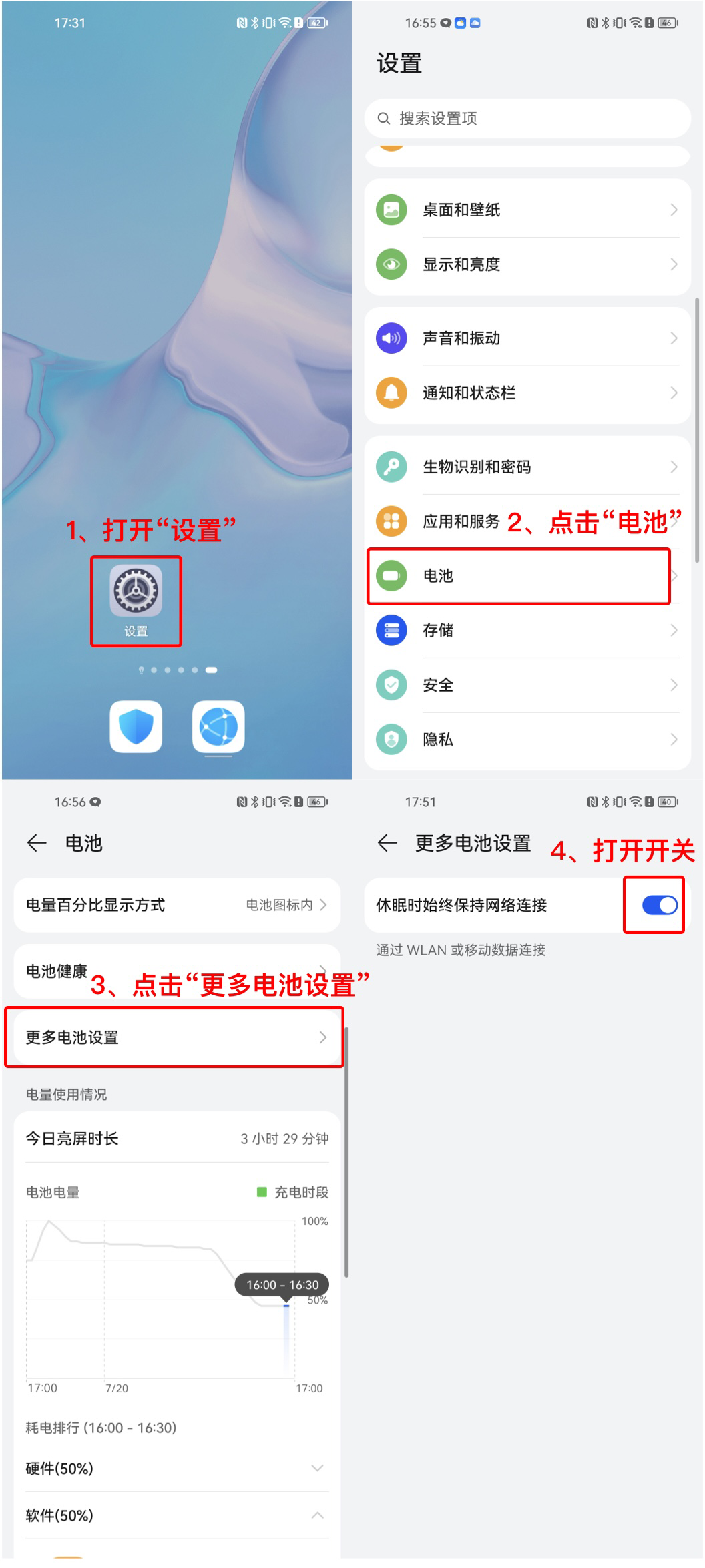
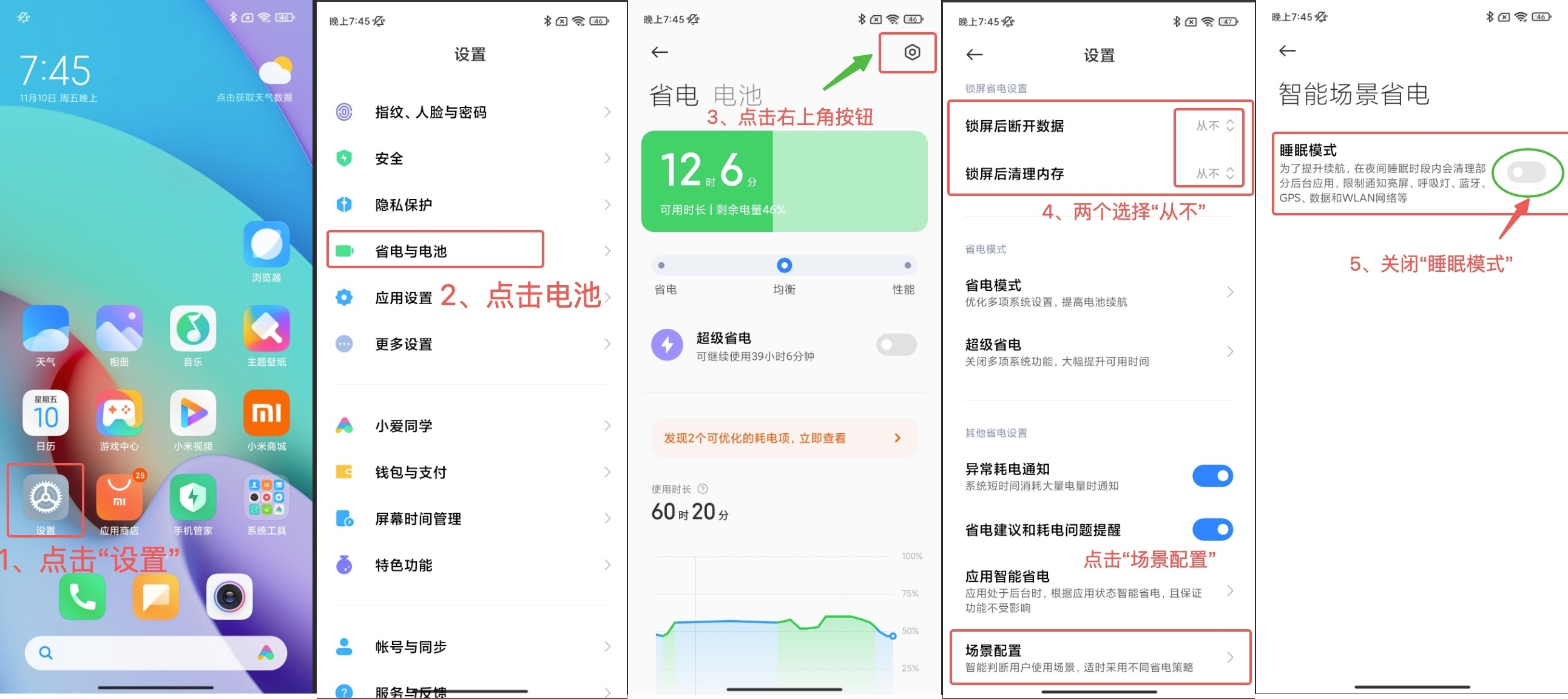
GPSRR supports mainstream Android phones and iPhones. On Android, background persistence and auto-start settings may need to be configured depending on the phone model.
Free features will remain available. VIP membership is also provided for users who need more features and enhanced services.
Route history is saved for up to one year by default. Data older than one year may be cleared by the system.
The app can run in the background with low power usage. On iPhone, location permission should be set to Always so the app can continue after being closed or after the phone restarts.
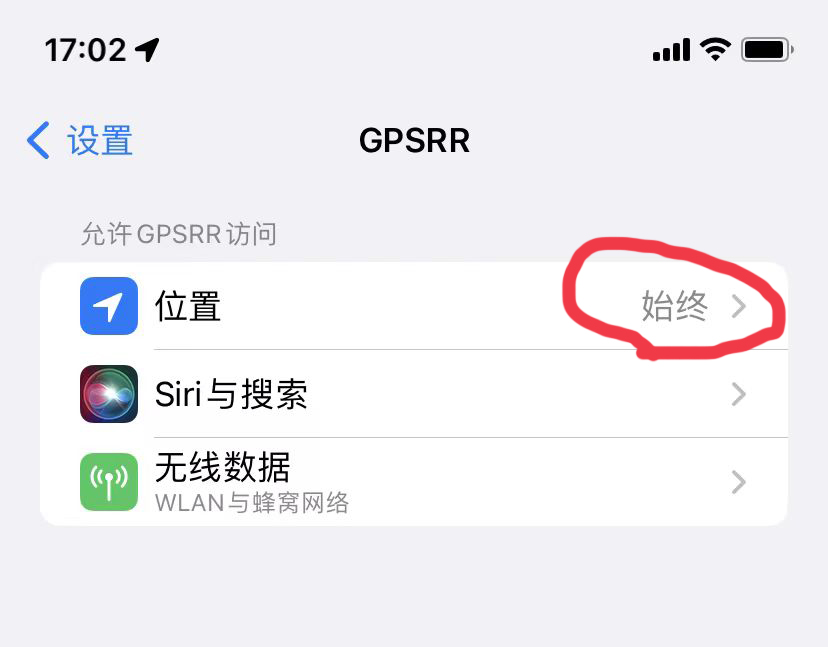
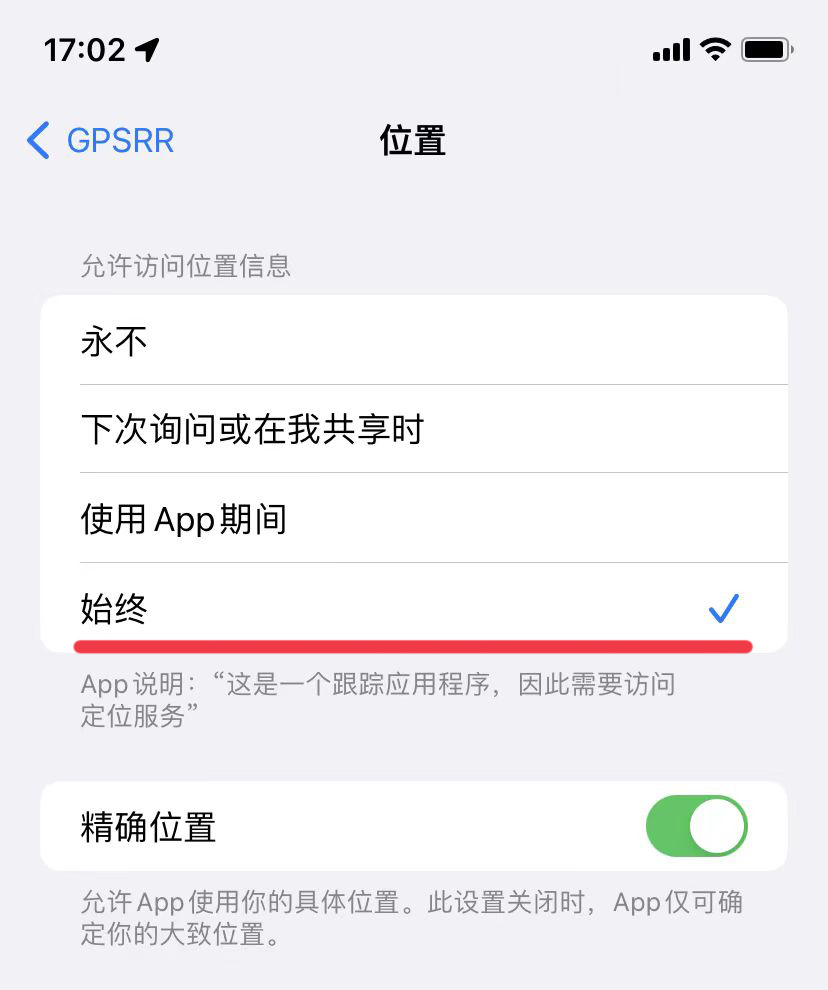
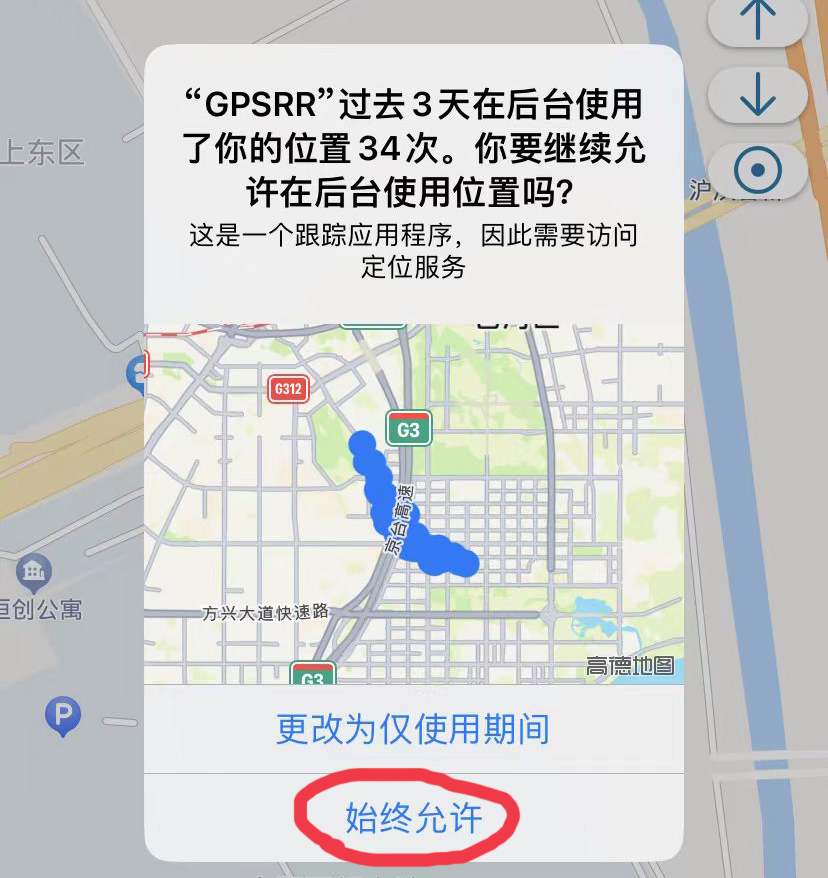
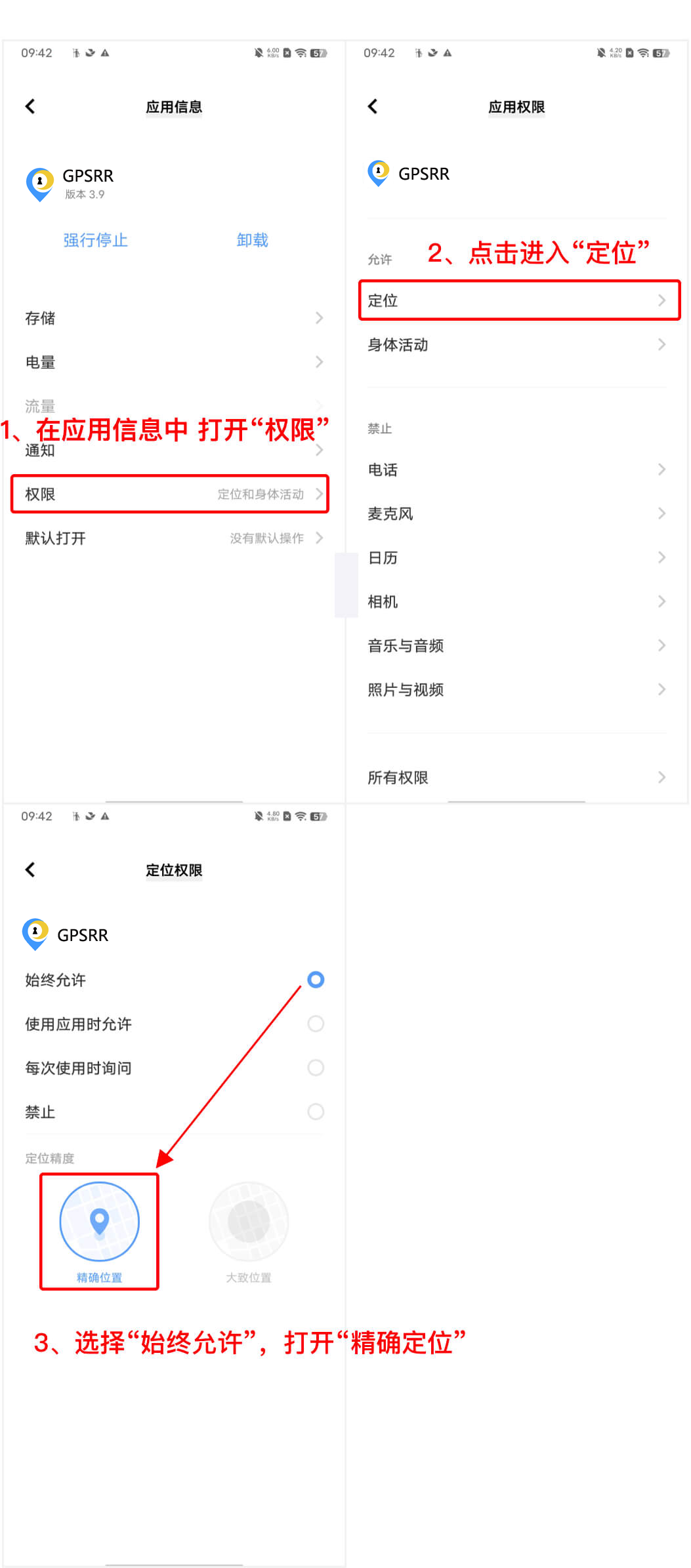
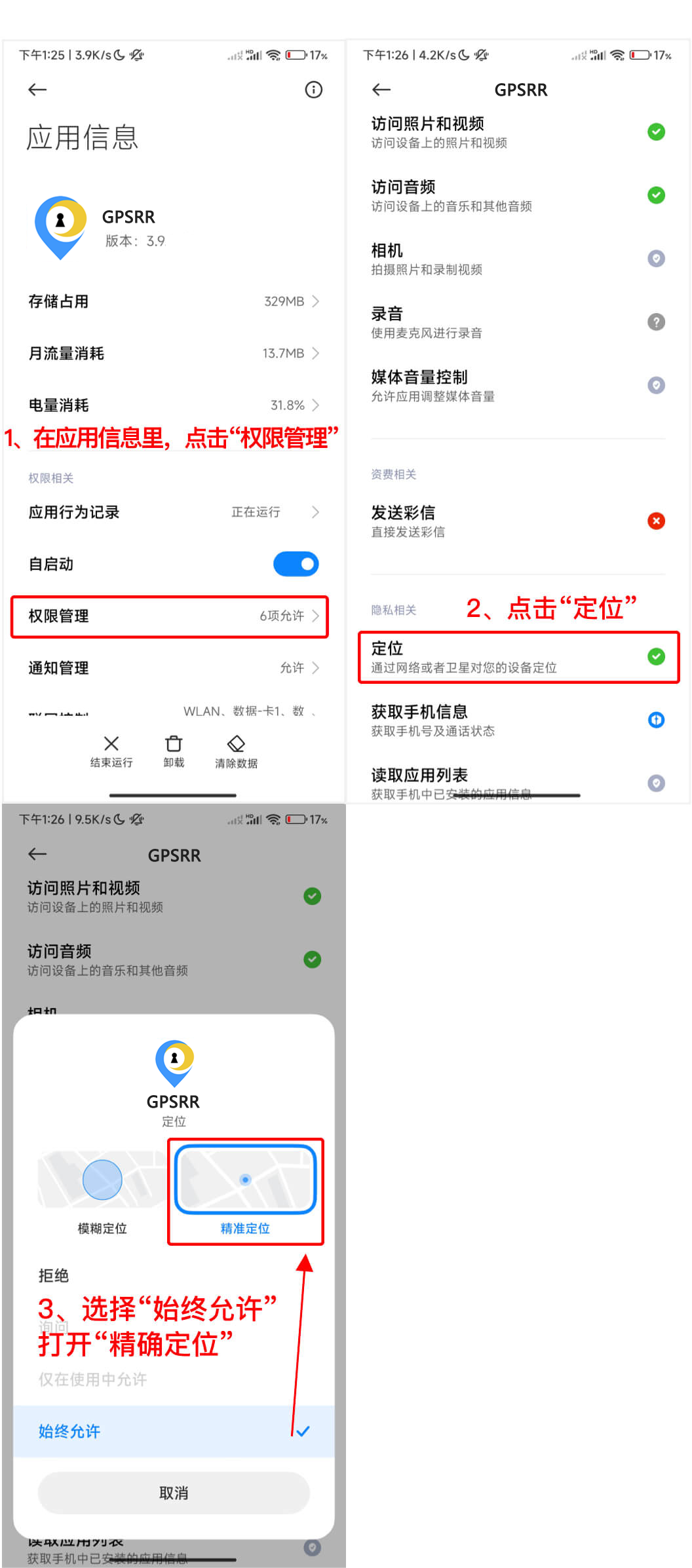
If the system permission prompt appears, choose Always Allow so the app can keep running in the background.
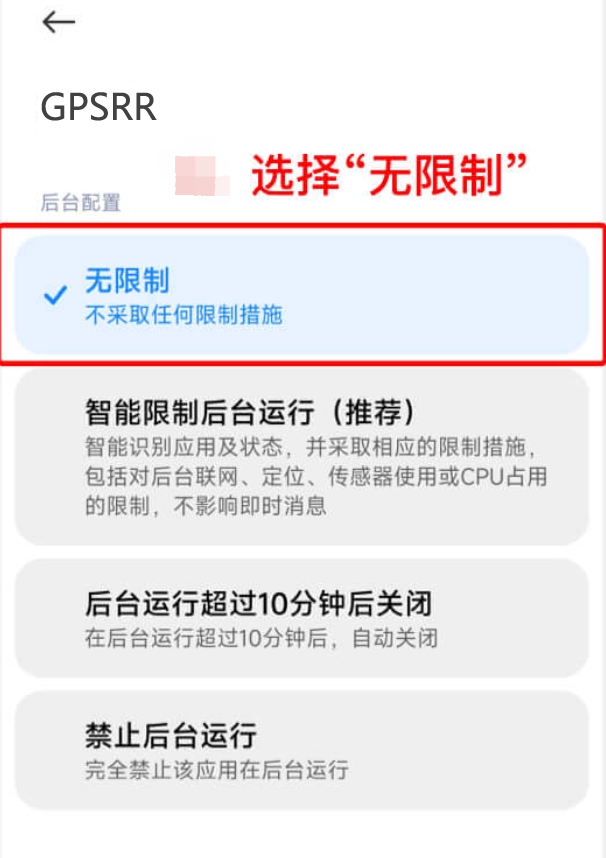
Android phones can also support auto-start and background operation after the required system settings are configured.
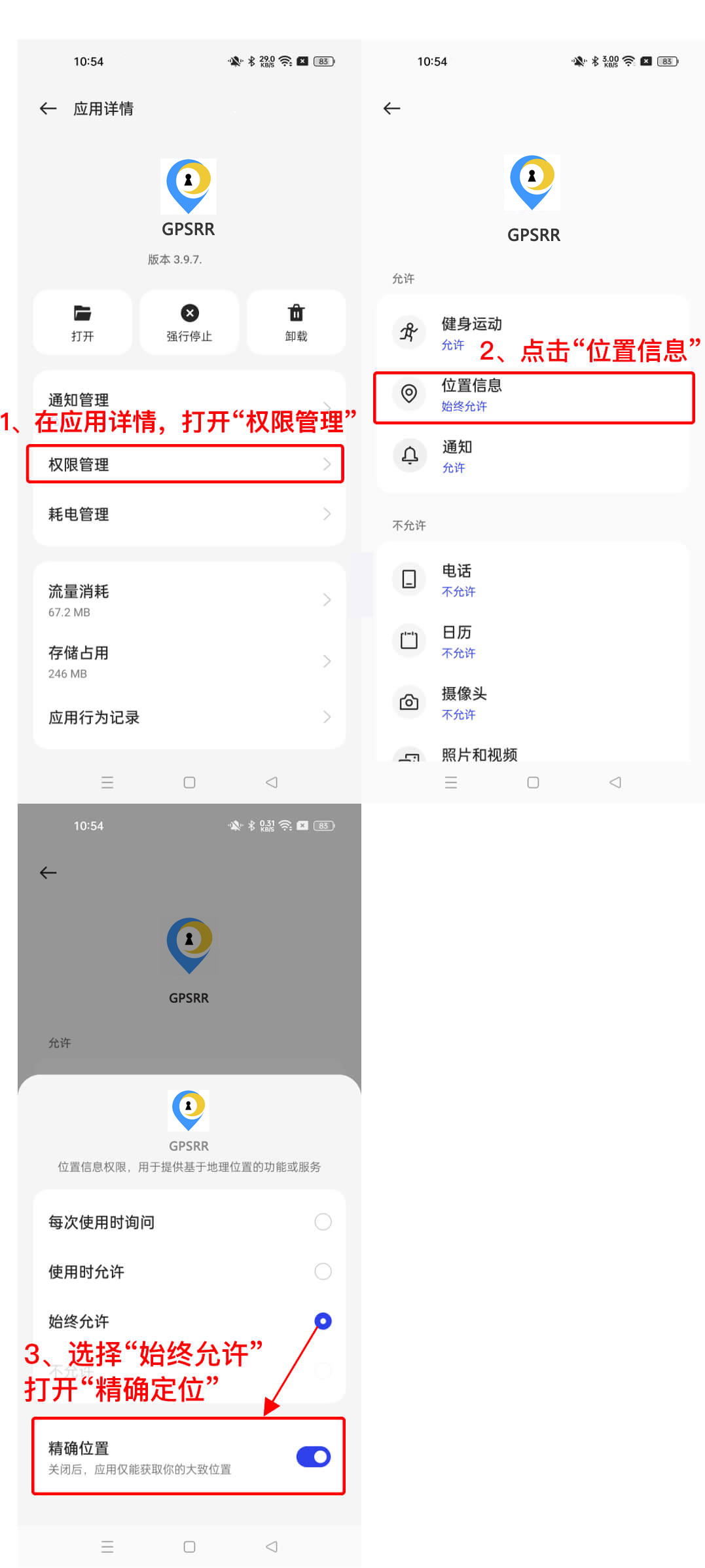
Enable precise location
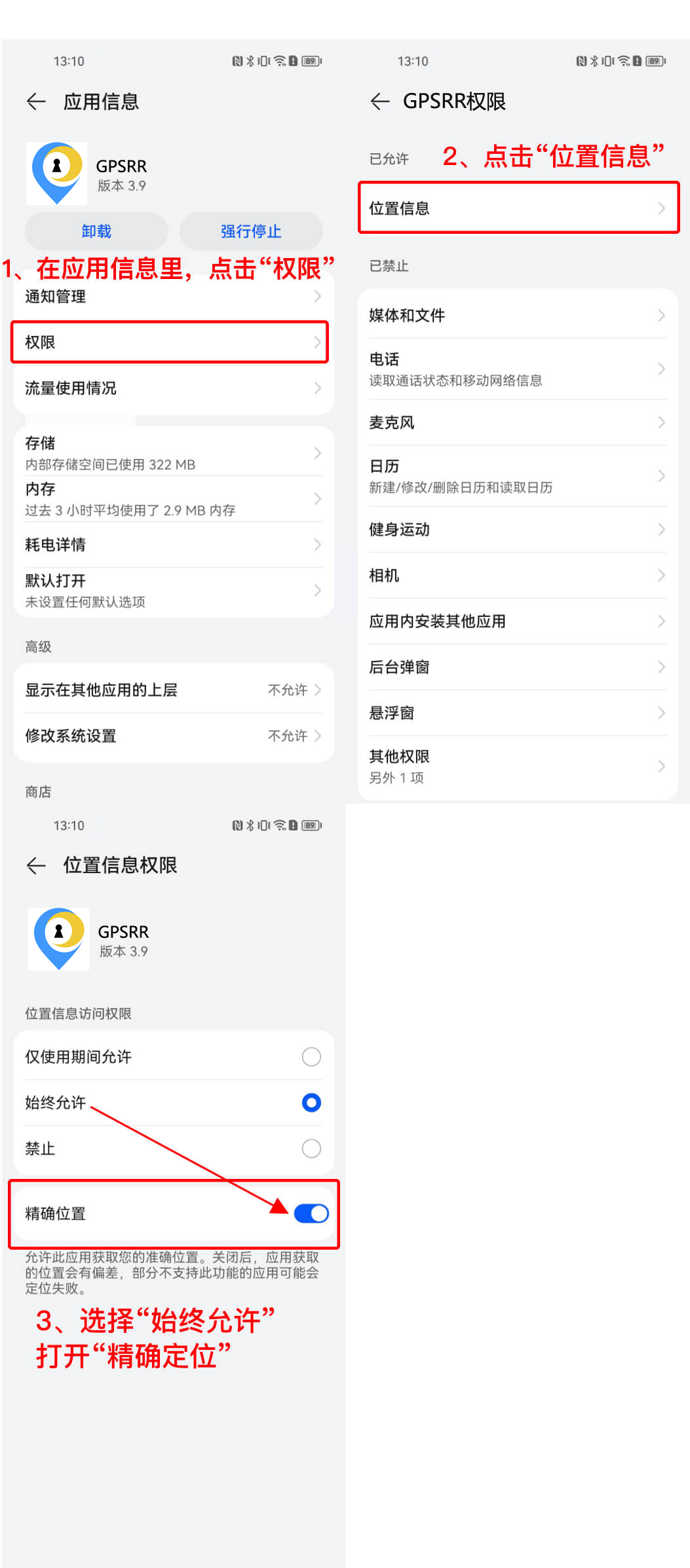
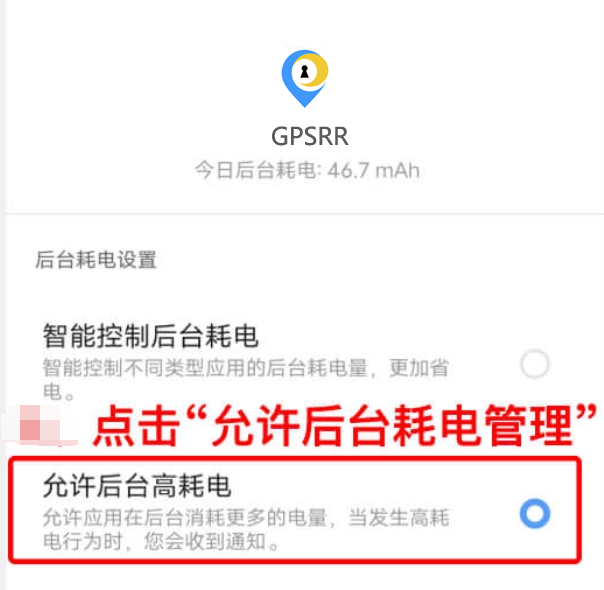
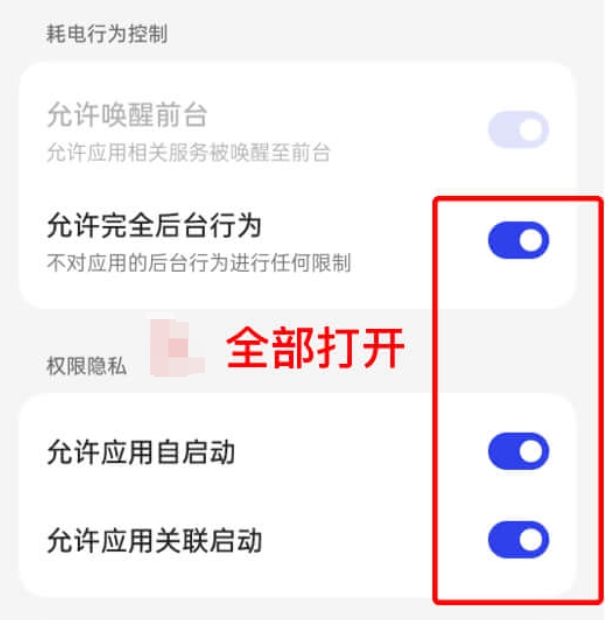
Enable background running
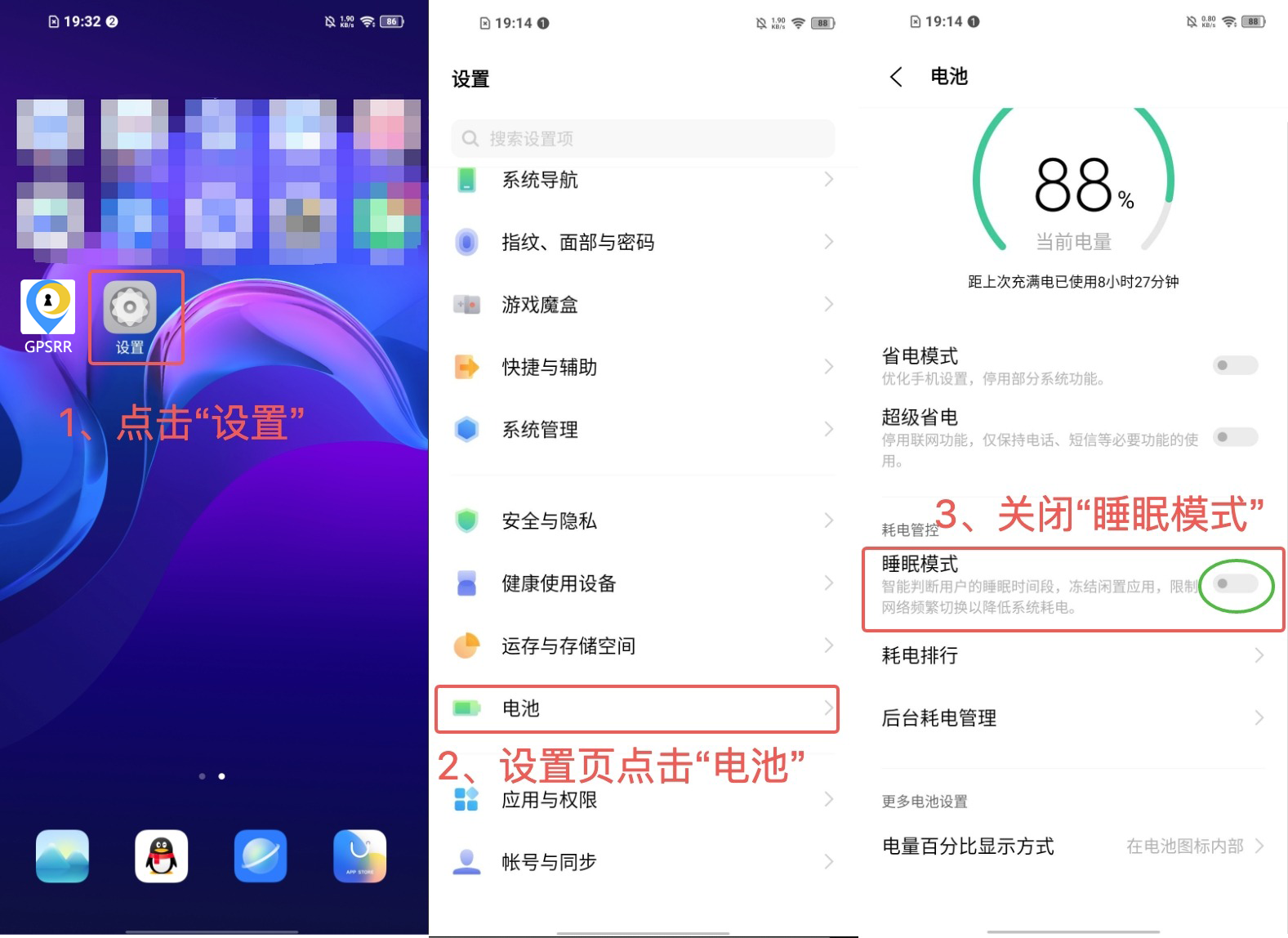
Prevent sleep restrictions
Enable precise location
Enable background running
Prevent sleep restrictions
Enable precise location
Enable background running
Prevent sleep restrictions
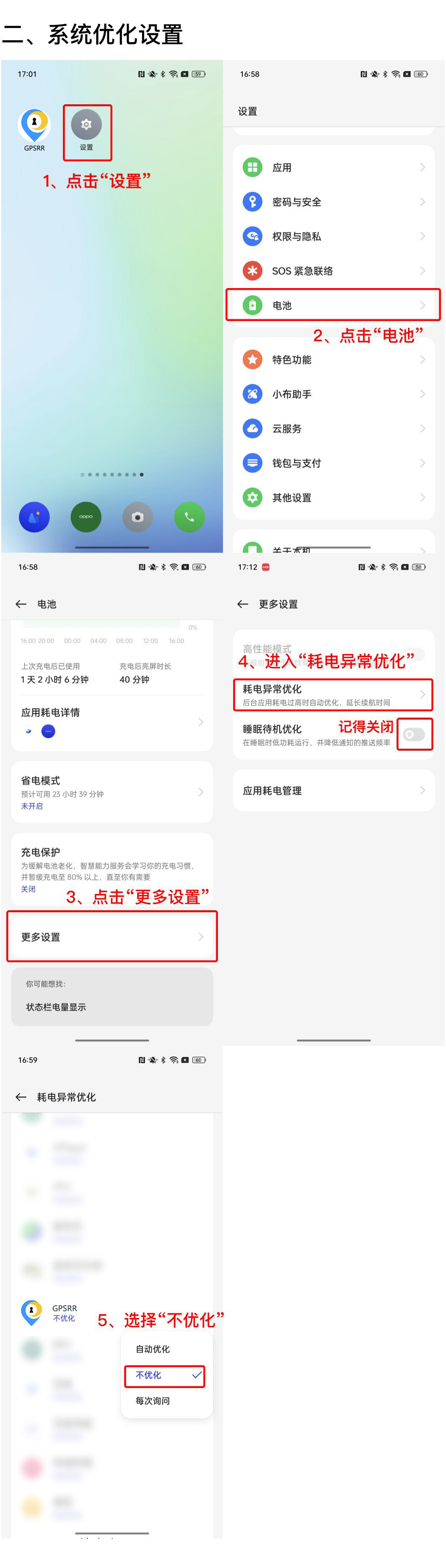
Enable precise location
Enable background running
Prevent sleep restrictions
Step 1: Open iPhone Settings

Step 2: Find the location permission settings
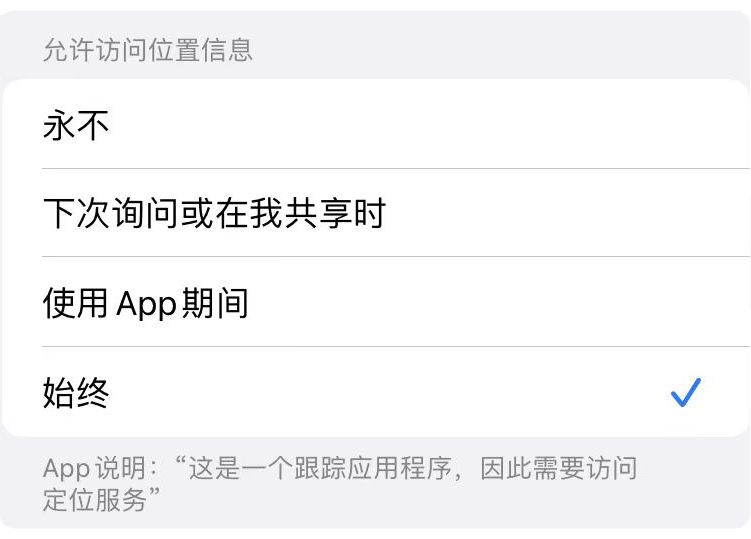
Step 3: Enable Always Allow

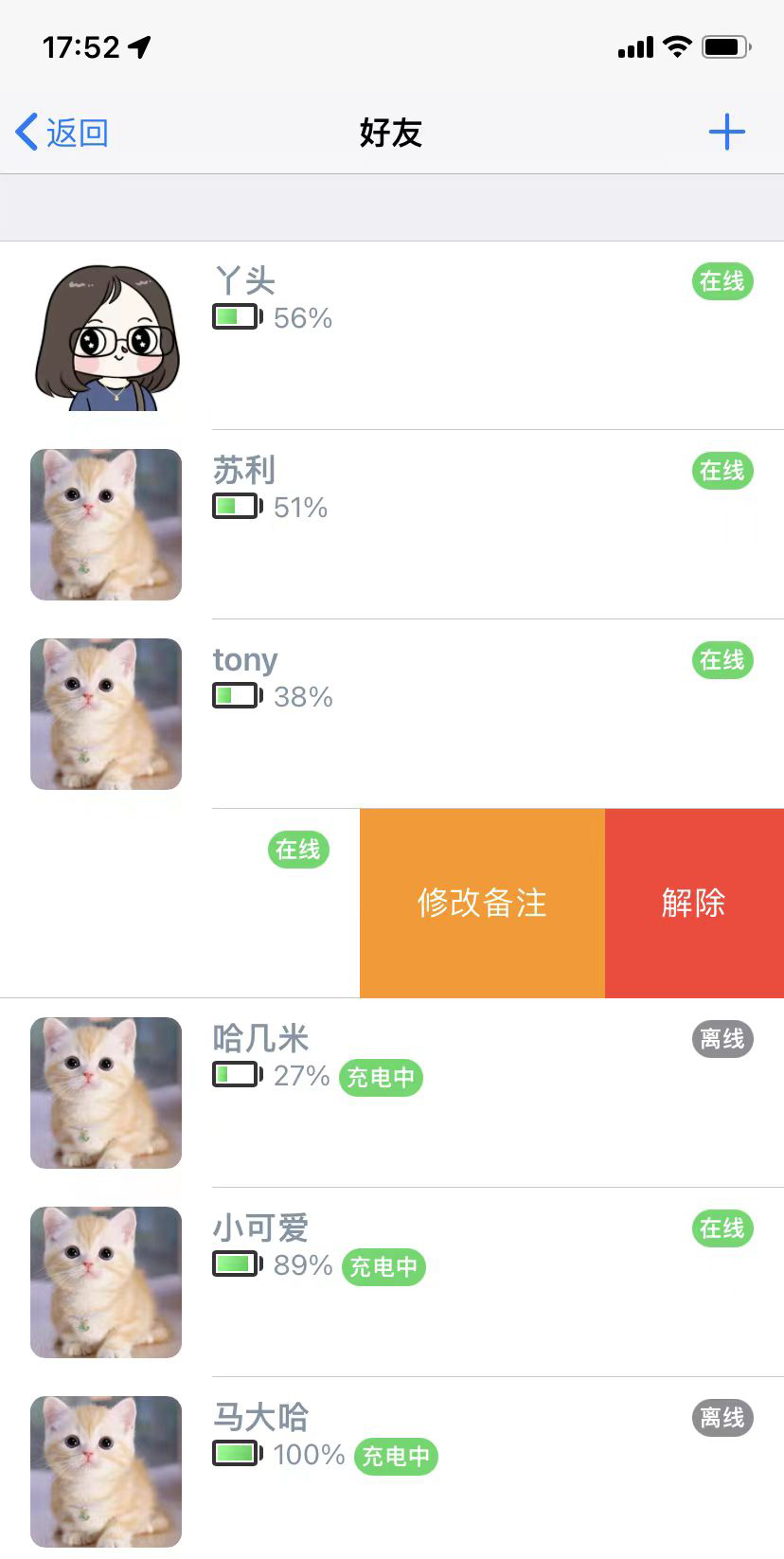
Tap the Friends button on the main screen, open the friends page, tap the plus button in the upper-right corner, and enter the friend account or phone number. If the person has not registered yet, you can invite them to register first.
On the friends page, swipe left on a friend row. The Edit remark and Remove buttons will appear. Tap Remove to end the friend relationship.
Open the friend profile page, tap the settings button in the upper-right corner, enter the remark name, and tap Save to update the name shown on the map.
A friend may be offline for several reasons: 1. Smart power saving is enabled. When the phone stays still for more than 5 minutes, the app may enter sleep mode to save battery, and movement over 500 meters can wake location service again. 2. The app was cleared from the running state. When the person moves more than 500 meters away, the app may wake and reconnect. 3. The Always location permission for the app was turned off. 4. Location services were turned off on the phone. 5. The app was uninstalled.
After tapping a friend avatar, the map locks to that person and keeps the view centered on their real-time location. Tap the avatar again to unlock it and freely drag the map.
QQ support: 1632773935